![Logo 1 Dark _small.png]](https://knowledgebase.kleercard.com/hs-fs/hubfs/Logo%201%20Dark%20_small.png?height=45&name=Logo%201%20Dark%20_small.png)
Your connected bank account is how KleerCard receives payment on credit accounts and how you add funds to wallet accounts. Your cards can't be used until this step is complete, so it's the best place to start.
Confirm your bank account is connected and verified
- Go to Settings, then Payments, then Bank Accounts (direct link).
- Check that your bank account shows as connected and verified.
- If you're prompted to verify your account, look for two small deposits from KleerCard on your bank statement, select the three dots to verify and enter those amounts. Micro-deposits arrive within 48 hours of connecting your account manually.
Add checking account for Billpay and Reimbursements
If you're planning to pay vendors or employees by check through Billpay or Reimbursements, update the Check payment settings for billpay and reimbursements on the Bank Accounts page. 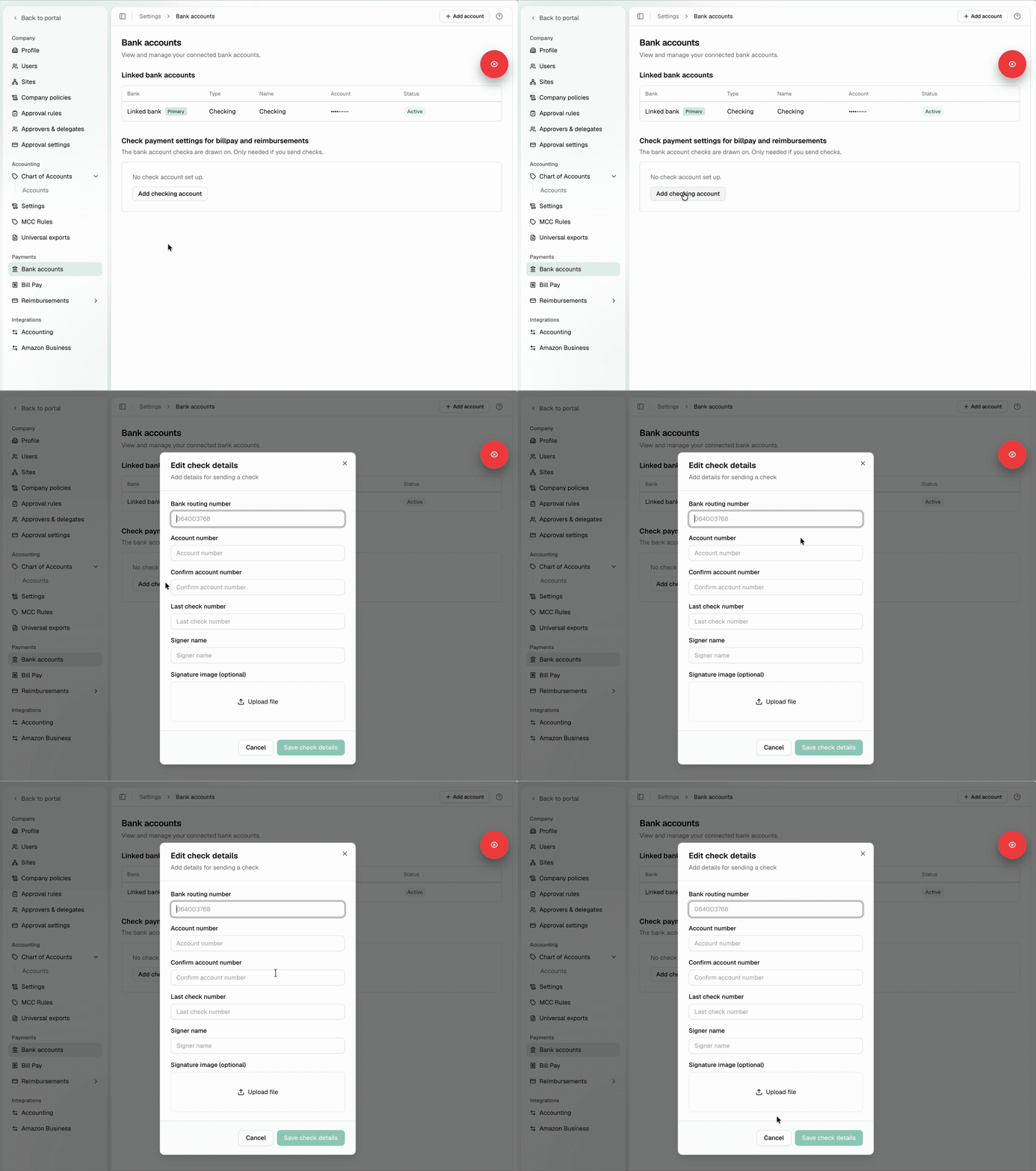
Understand your account type
KleerCard offers businesses a free plan where you add funds to your wallet to power your spending and a paid option that offers a credit line that is paid in full each week.
Credit account
- You have a credit limit that applies across all cards combined, for example $5,000 per week.
- A statement generates every seven days and is paid automatically by ACH from your connected bank account. Once the payment processes, your full spending power is available again.
- Your credit limit and your card limits work together. The credit limit is the ceiling for your whole organization, and each card limit controls how much that card can spend.
- Need a higher limit? Email implementation@kleercard.com. We may ask for recent bank statements to review.
Wallet account
- You add funds before you spend, and your cards draw from the wallet balance.
- To add funds, use this link: Fund your wallet. Click Change Reserve and enter the amount you want available for card spending. The funds move from your connected bank account into your wallet.
- To move money from your wallet back to your bank, email implementation@kleercard.com with the amount, and we'll process the withdrawal for you.